v2026.9.0-latest eb24206 → v2026.9.0 343b20f
Highlights
What users are asking with Ask AI
[Ask AI](https://meta.discourse.org/t/search-better-in-your-community-with-ask-ai/411346) now has its own section on your admin dashboard at /admin. As admins, you can now see how people are using it and what they’re asking about.
Connect your AI apps to your community with Discourse’s built-in MCP server
Discourse now has a built-in MCP server, so you can ask your favourite AI apps to find a topic, catch up on a discussion, or prepare a report on activity in your community.
New filter and sort options for chat channels
We’ve just added the functionality to select filter and sorting options per section of chat channels! The defaults are unchanged, but now you can specify filter and sort options for each section (public channels, DM/group channels, and starred channels).
Edit dates, polls, tables, and more in the rich text editor
The rich text editor can now display and edit complex content types — dates, polls, tables, and graphviz diagrams — without requiring a switch back to the Markdown editor.
Users and topics shown on Signups, New Contributors, and Accepted Solutions reports
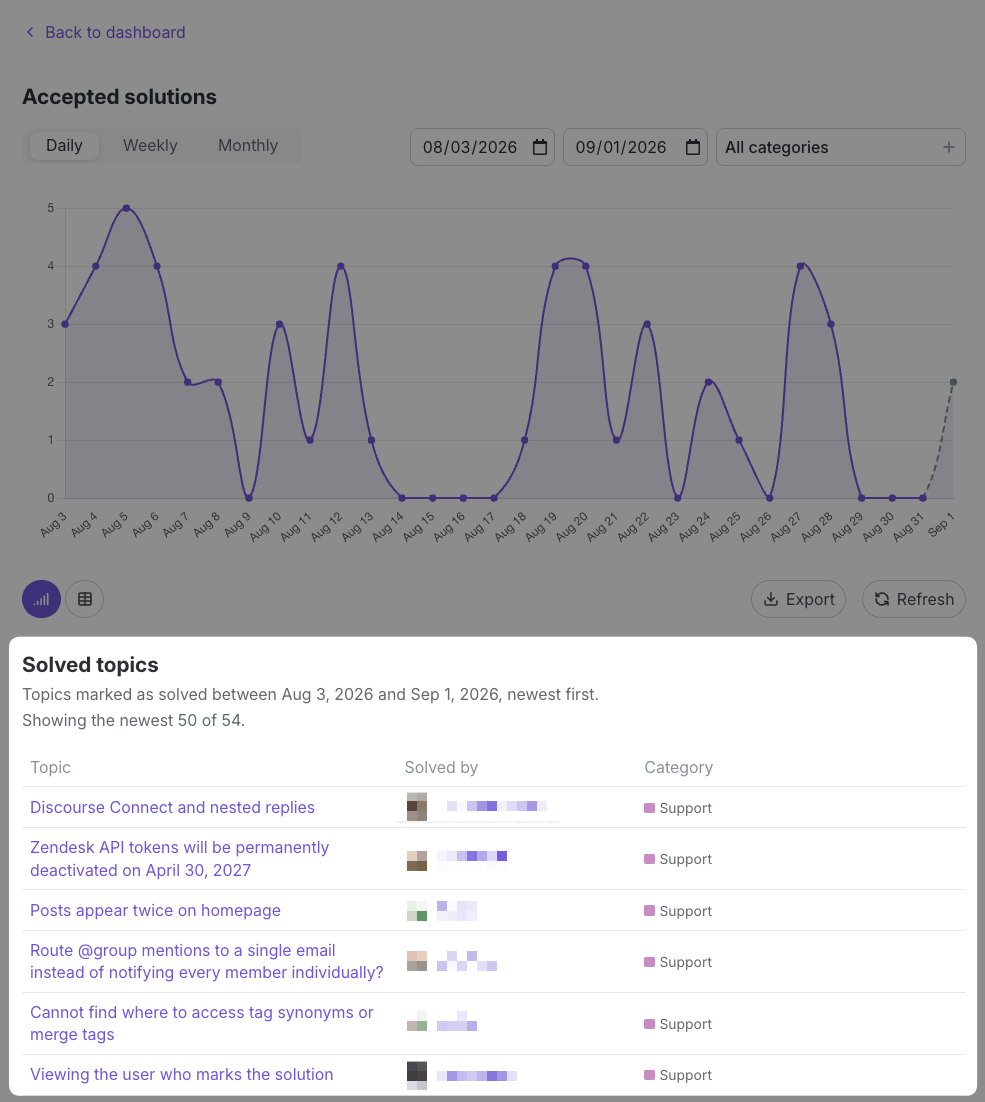
We’ve updated the Signups, New Contributors, and Accepted Solutions reports to show the specific users and posts behind the numbers.
Better Search with Ask AI
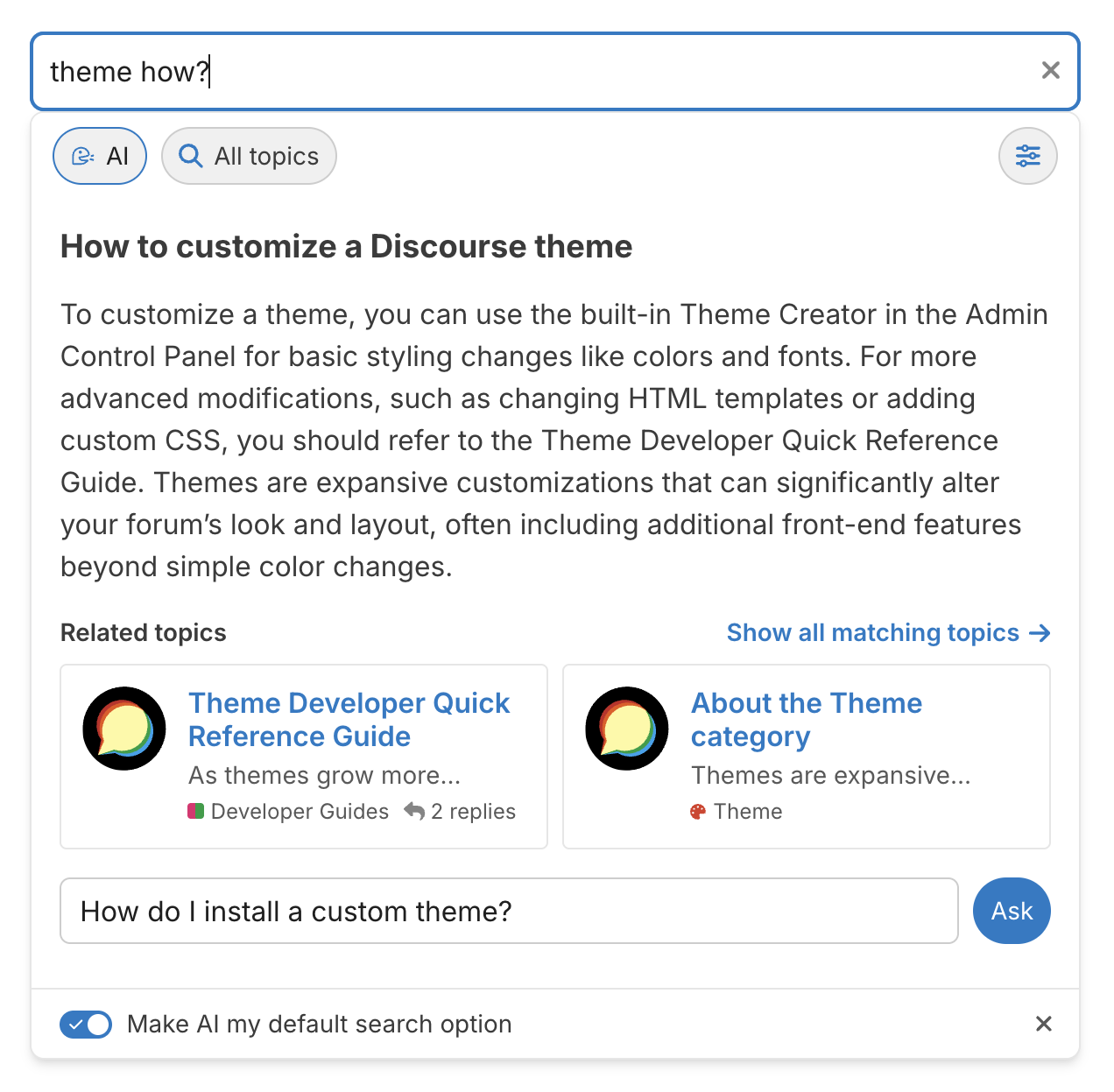
Ask AI helps your community get to the answers they want faster, by supporting natural language queries follow up questions. It also works ’side-by-side with the existing indexed search.
Drag-and-drop support for custom sidebar content
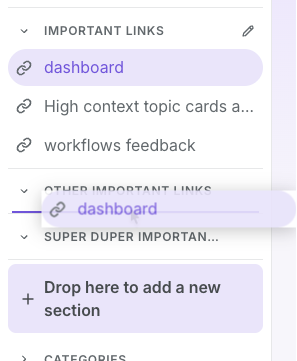
You can now drag links into the sidebar to add to existing custom sections or create new sections, and drag links within custom sections to reorder them in your sidebar.
Translations
Thanks to our volunteer translators for their contributions to this release!
Learn more →